A step-by-step guide to trading on the Bitbase web platform (bitbase.com): place your first Spot order, then open and manage a USDT-M perpetual Futures position. Example pair: BTC/USDT.
Before you start
You need funds in your account before you can trade — see the Bitbase deposit guide first. Complete identity verification to unlock full limits. Trading is done right in your browser at bitbase.com; nothing to install.
Risk notice: crypto prices are volatile and you can lose money. Futures use leverage, which magnifies both gains and losses and can lead to liquidation — the loss of your entire margin. Only trade what you can afford to lose. This guide is educational and is not financial advice.
Part 1 — Spot trading
Step 1 · Open the Spot trading page
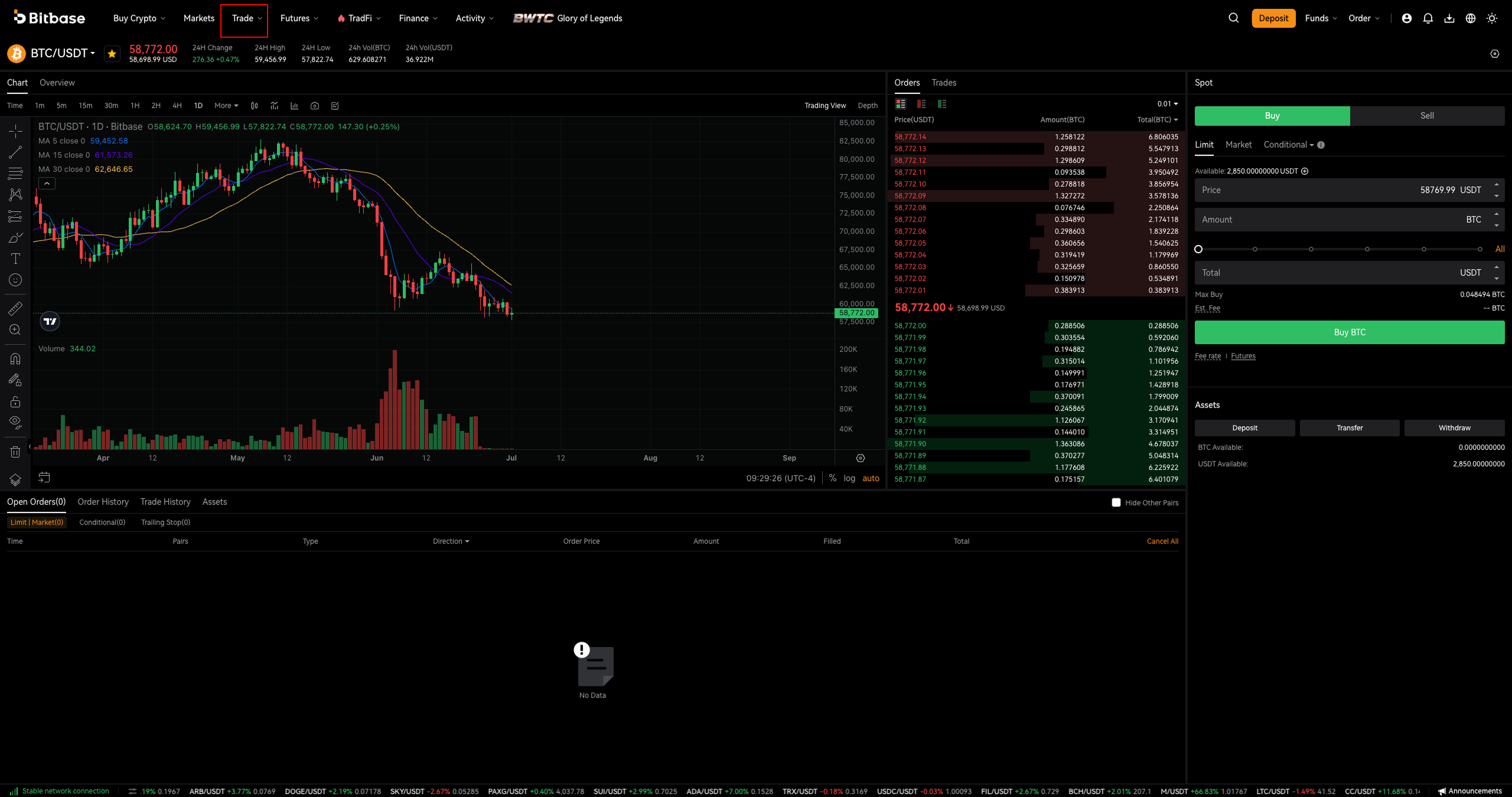
Log in, then in the top navigation click Trade → Spot. The trading screen opens with the price chart on the left, the Order Book in the middle, and the order-entry panel (Spot) on the right.
Step 2 · Select a trading pair
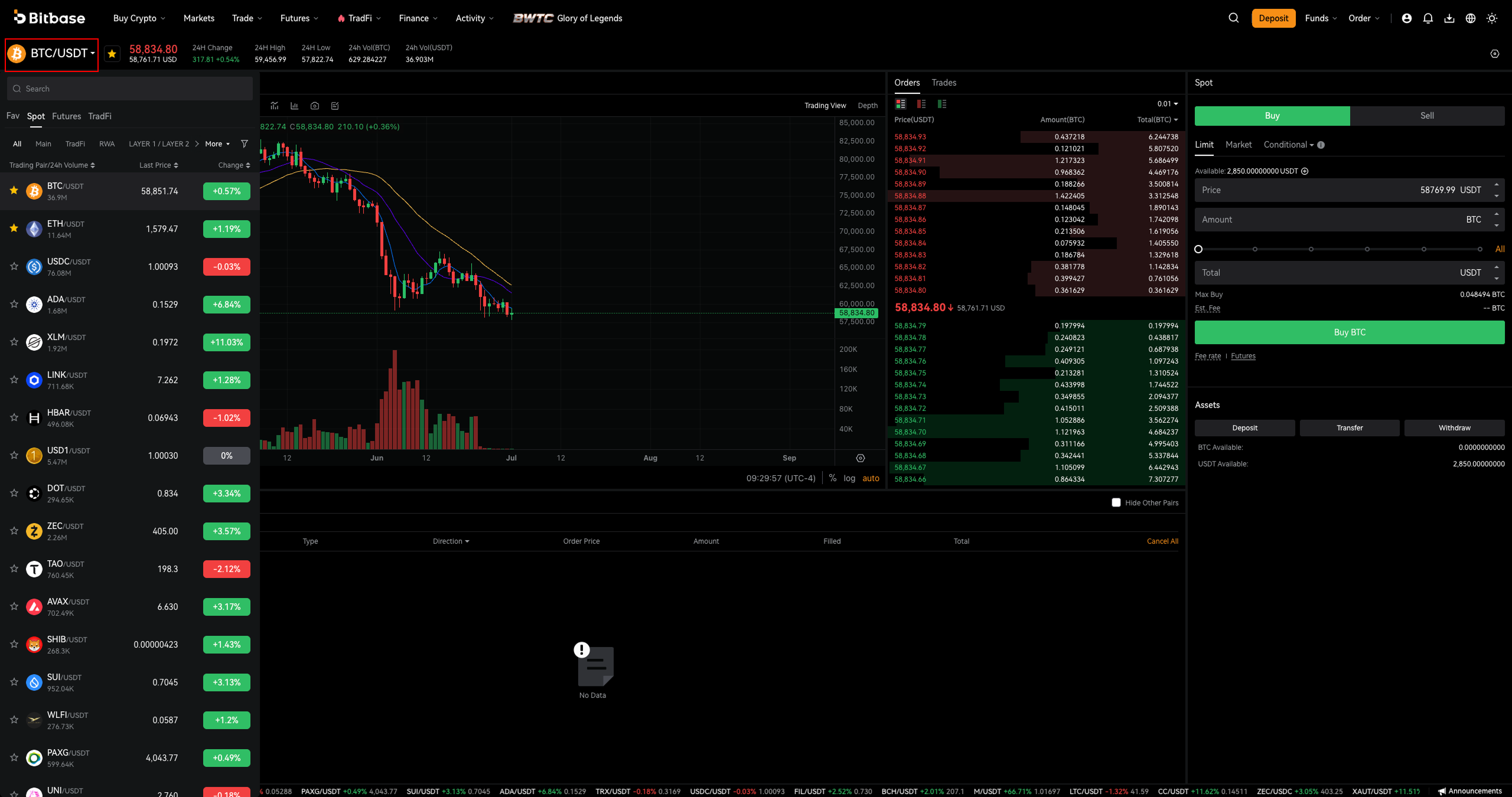
Click the pair name at the top left (e.g. BTC/USDT) to open the pair list. Use the Search box, or switch between the Fav / Spot / Futures / TradFi tabs and category filters (Main, Layer 1/2, etc.). Sort by Last Price or Change, and click the star to save a favorite.
Step 3 · Read the chart and order book
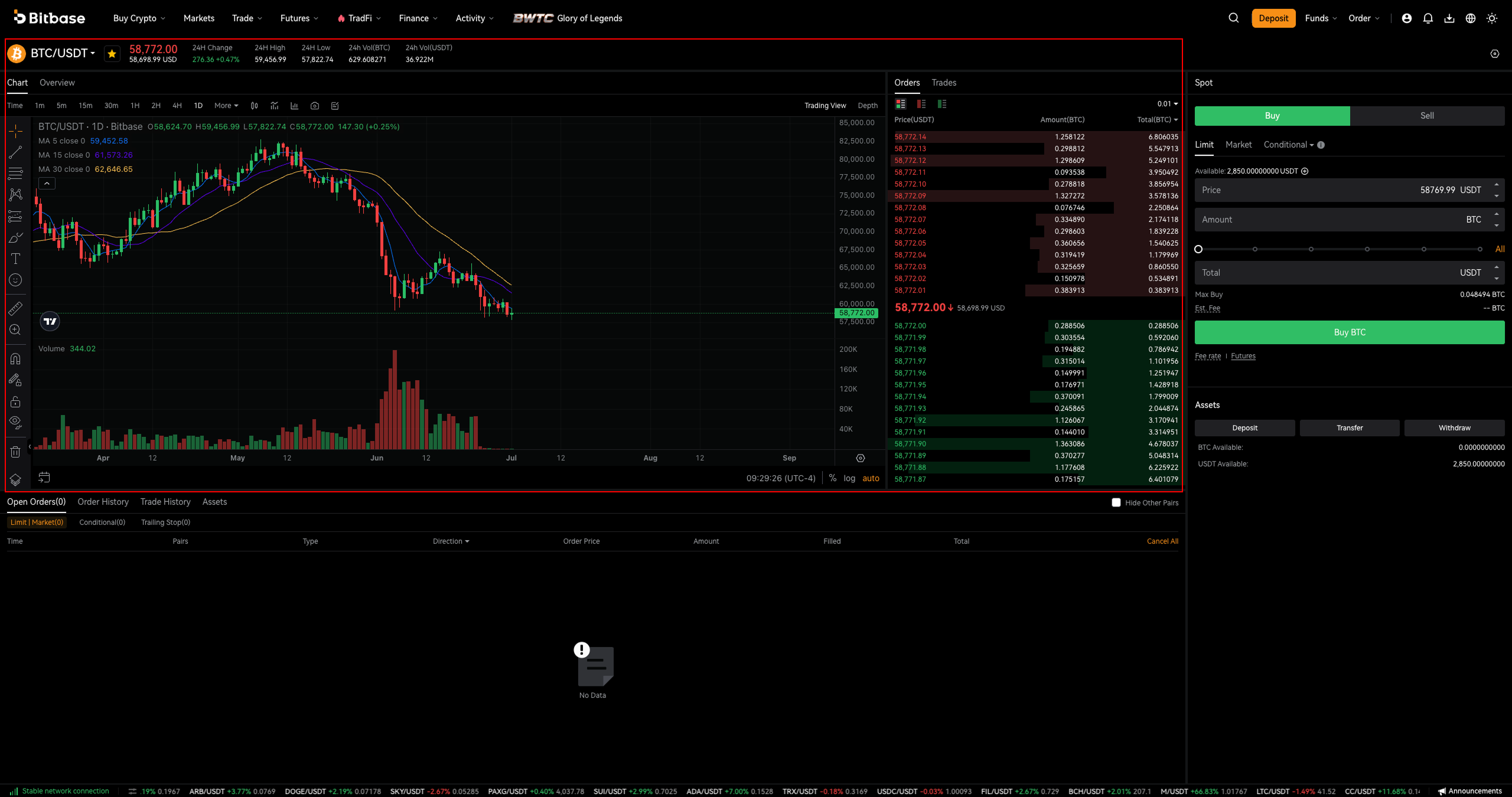
Above the chart, switch timeframes (1m / 15m / 1H / 1D / 1M) and toggle Trading View / Depth. In the middle, the Order Book lists sell orders (red) above and buy orders (green) below the current price, with columns Price(USDT) / Amount(BTC) / Total(BTC).
Step 4 · Choose Buy/Sell and an order type
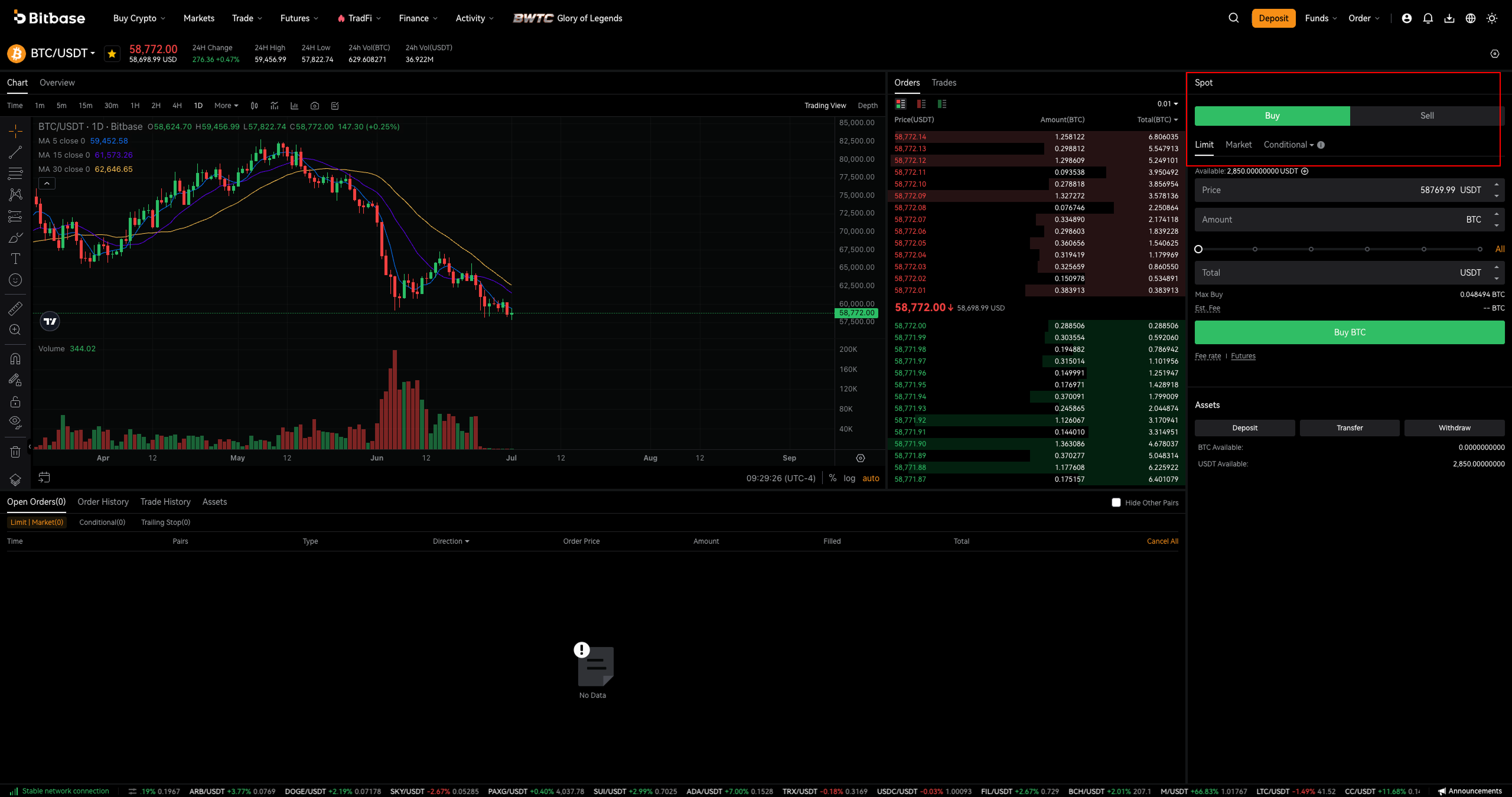
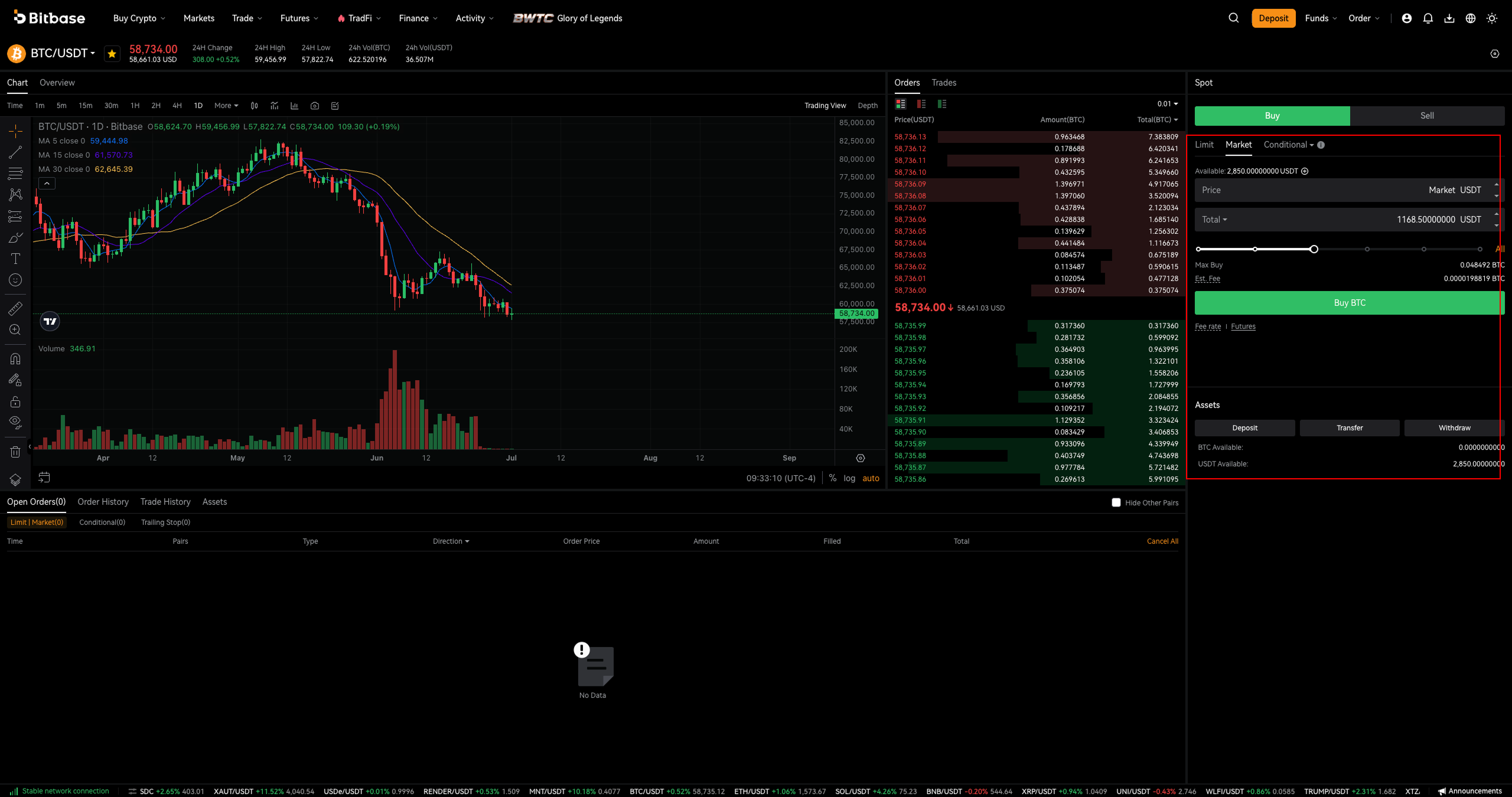
On the right panel, pick Buy or Sell, then an order type: Limit (you set the price), Market (fills immediately at the best available price), or Conditional (triggers when a set price is reached; a Trailing Stop is also available).
Step 5 · Place a Limit order
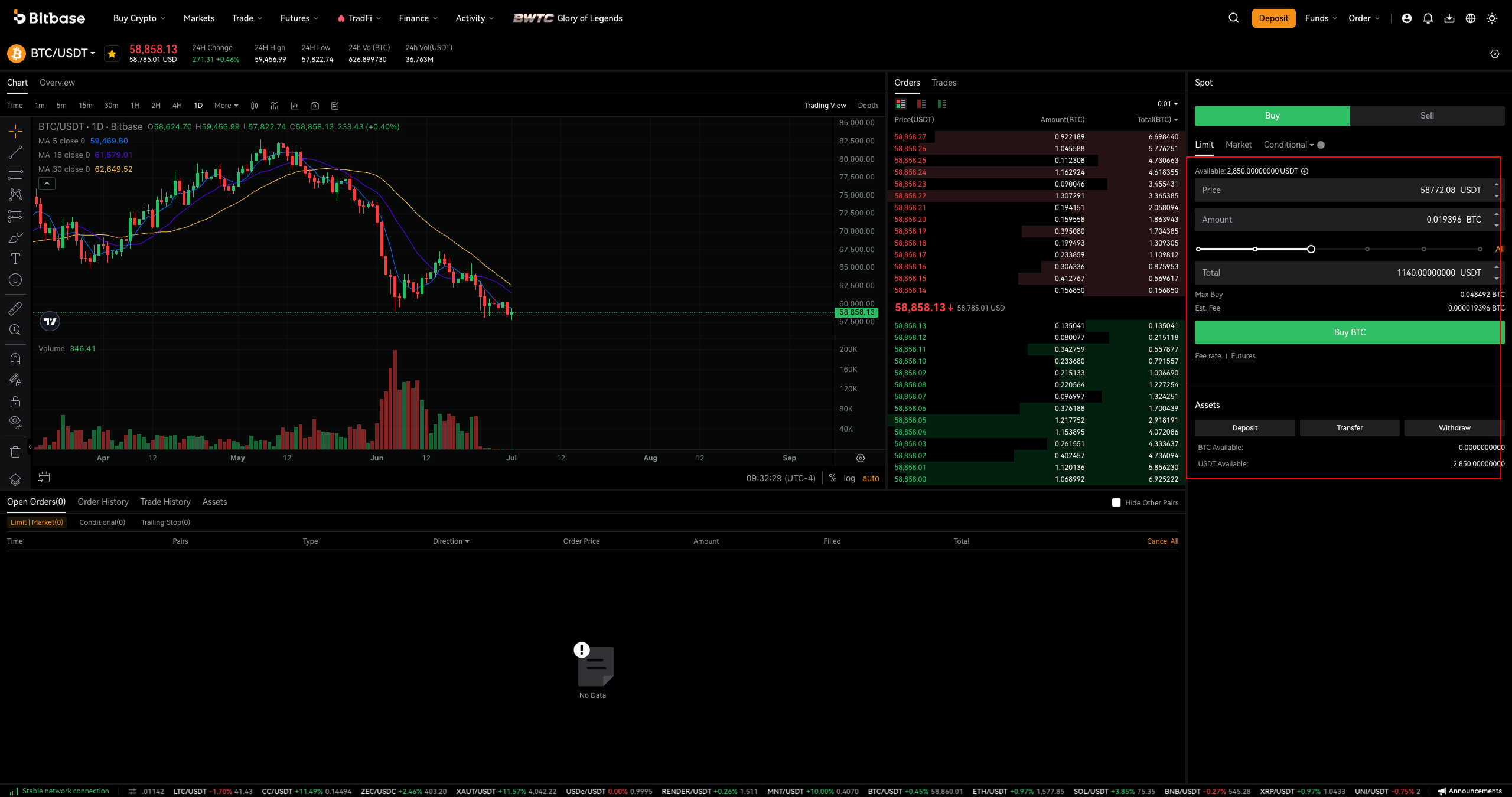
With Limit selected, enter a Price and an Amount, or drag the percentage slider (up to All) to size the order from your balance. Check Total, Max Buy and Est. Fee, then click the green Buy BTC (or red Sell BTC). Your available balance shows under Available.
Step 6 · Place a Market order
Switch to the Market tab when you want to trade instantly. Price shows as Market; just enter the Total you want to spend (buy) or the amount to sell, then click Buy BTC / Sell BTC. The order fills right away at the current market price.
Step 7 · Track and manage your orders
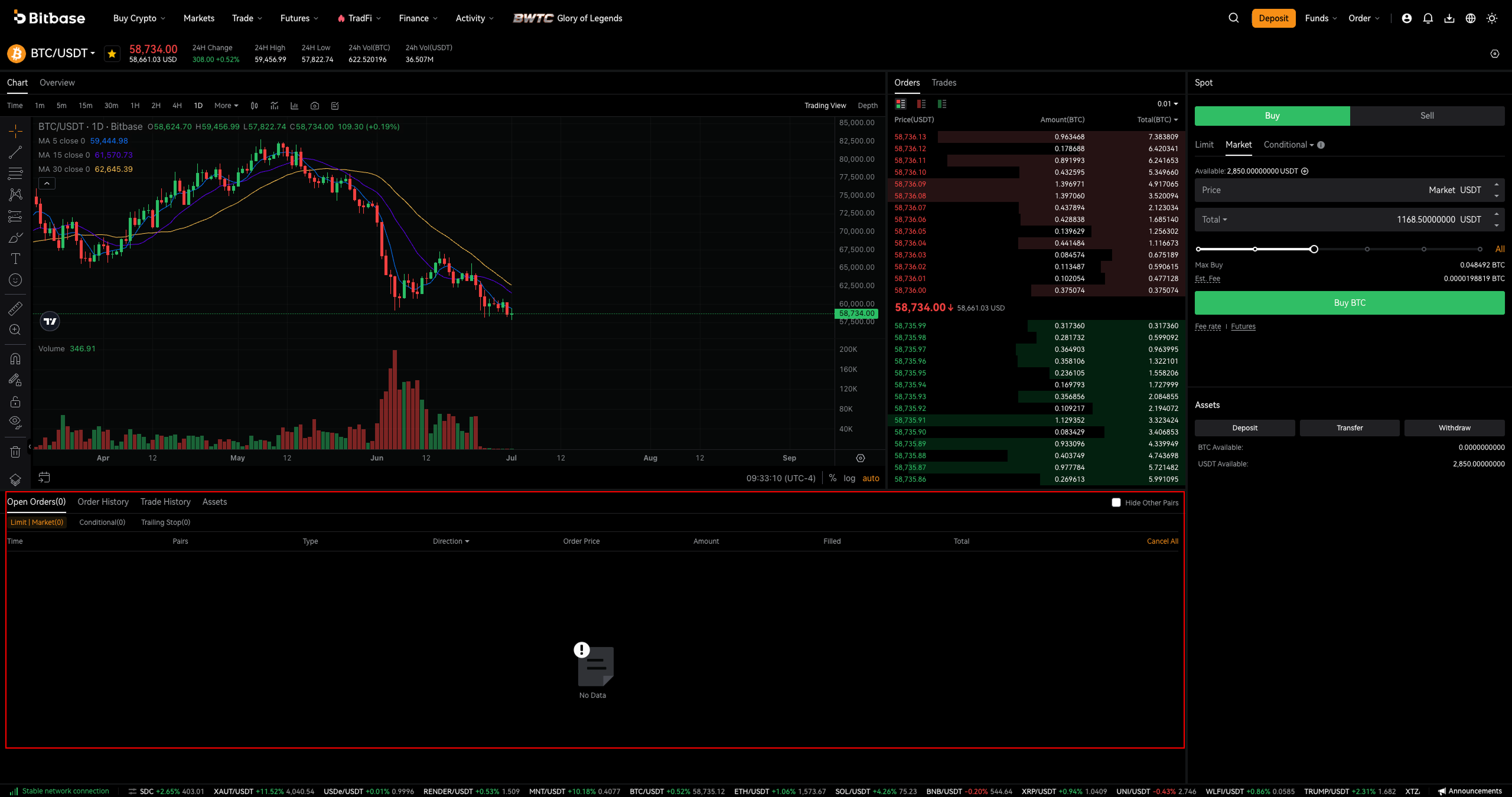
At the bottom, use Open Orders, Order History, Trade History and Assets. Open (unfilled) orders can be cancelled individually or with Cancel All. Tick Hide Other Pairs to focus on the current pair.
Part 2 — Futures trading (USDT-M perpetual)
Step 8 · Open USDT-M Futures and fund it
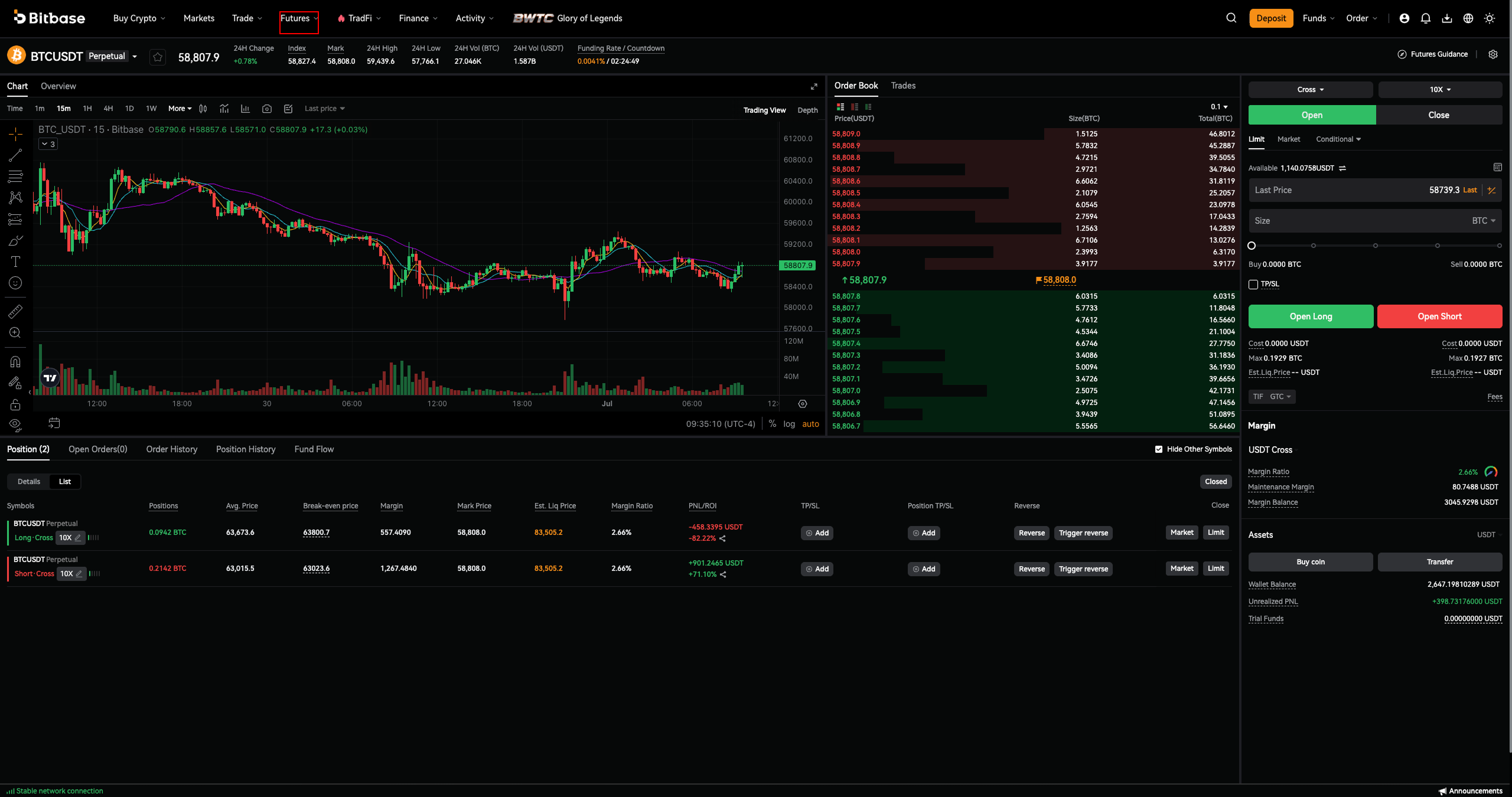
In the top navigation click Futures → USDT-M Futures (perpetual contracts settled in USDT). Move funds to your futures account first using Transfer. The header shows Index and Mark prices and the Funding Rate / Countdown; see Futures Guidance for help.
Step 9 · Set margin mode and leverage
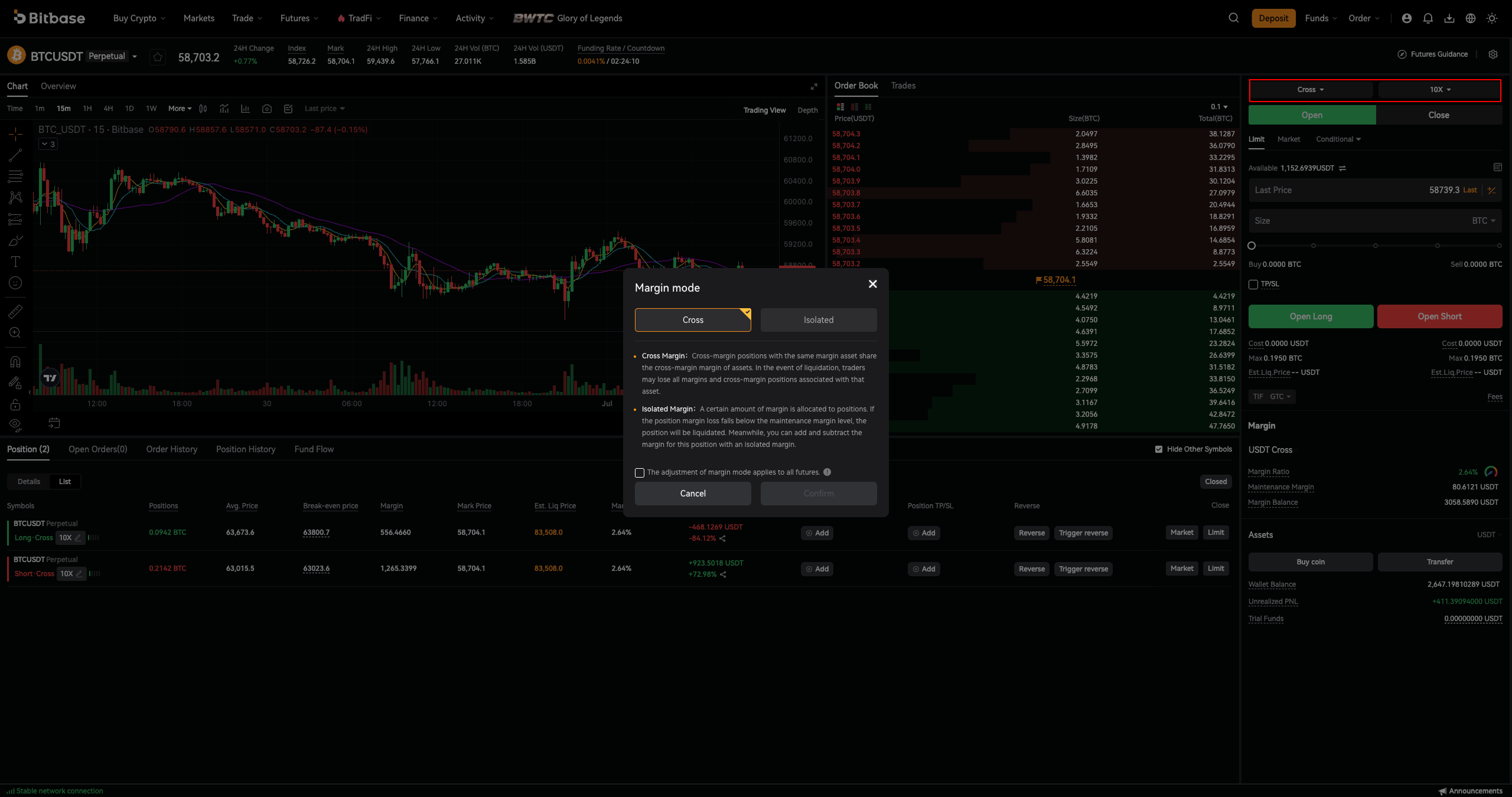
Click the margin-mode button (Cross by default) to choose Cross or Isolated margin, then set your leverage (e.g. 20X) with the leverage selector. Higher leverage increases both potential profit and liquidation risk.
Step 10 · Enter your order (with optional TP/SL)
Under the Open tab, choose Limit / Market / Conditional, then enter Size, or use the percentage slider. Optionally tick TP/SL to attach take-profit and stop-loss levels. Available shows your margin balance.
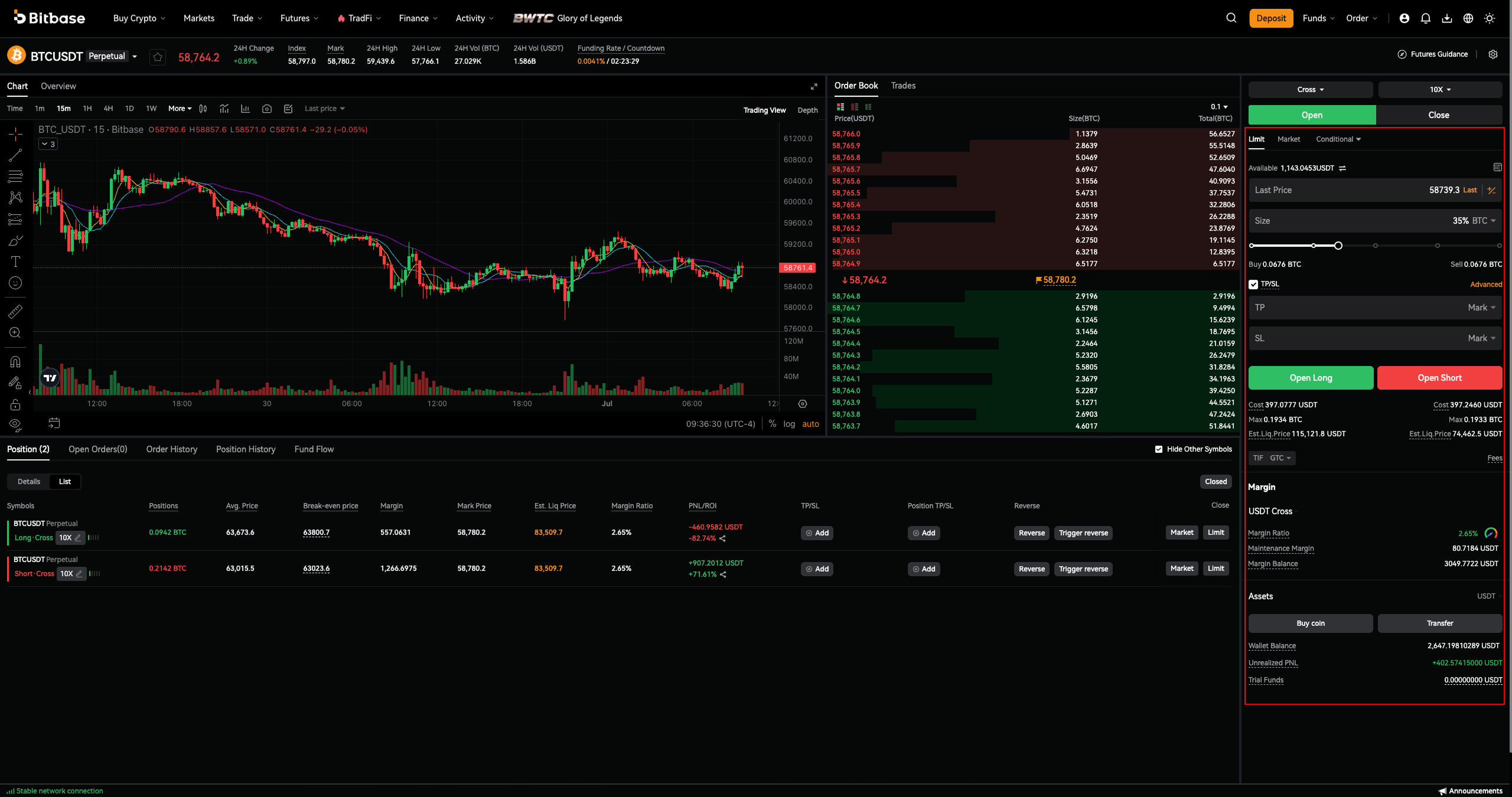
Step 11 · Open Long or Open Short
Click Open Long (green, betting the price rises) or Open Short (red, betting it falls). Before confirming, review Cost, Max and the Est. Liq. Price (the price at which the position is liquidated). Set TIF (e.g. GTC) as needed.
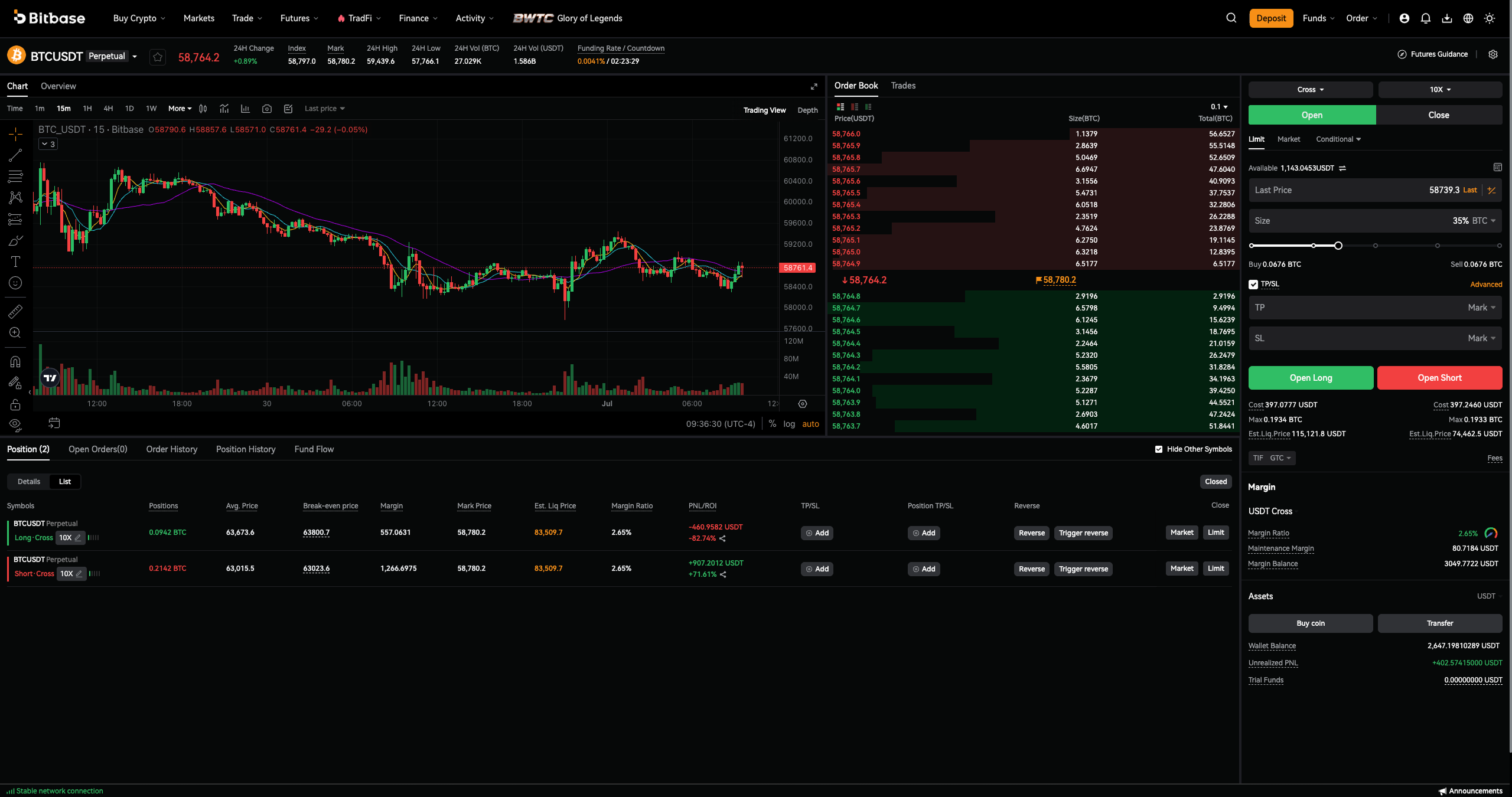
Step 12 · Manage and close positions
Track everything at the bottom under Position, Open Orders, Order History, Position History and Fund Flow. Watch your Margin Ratio and Maintenance Margin to avoid liquidation. To exit, use the Close tab or close the position from the Position panel.
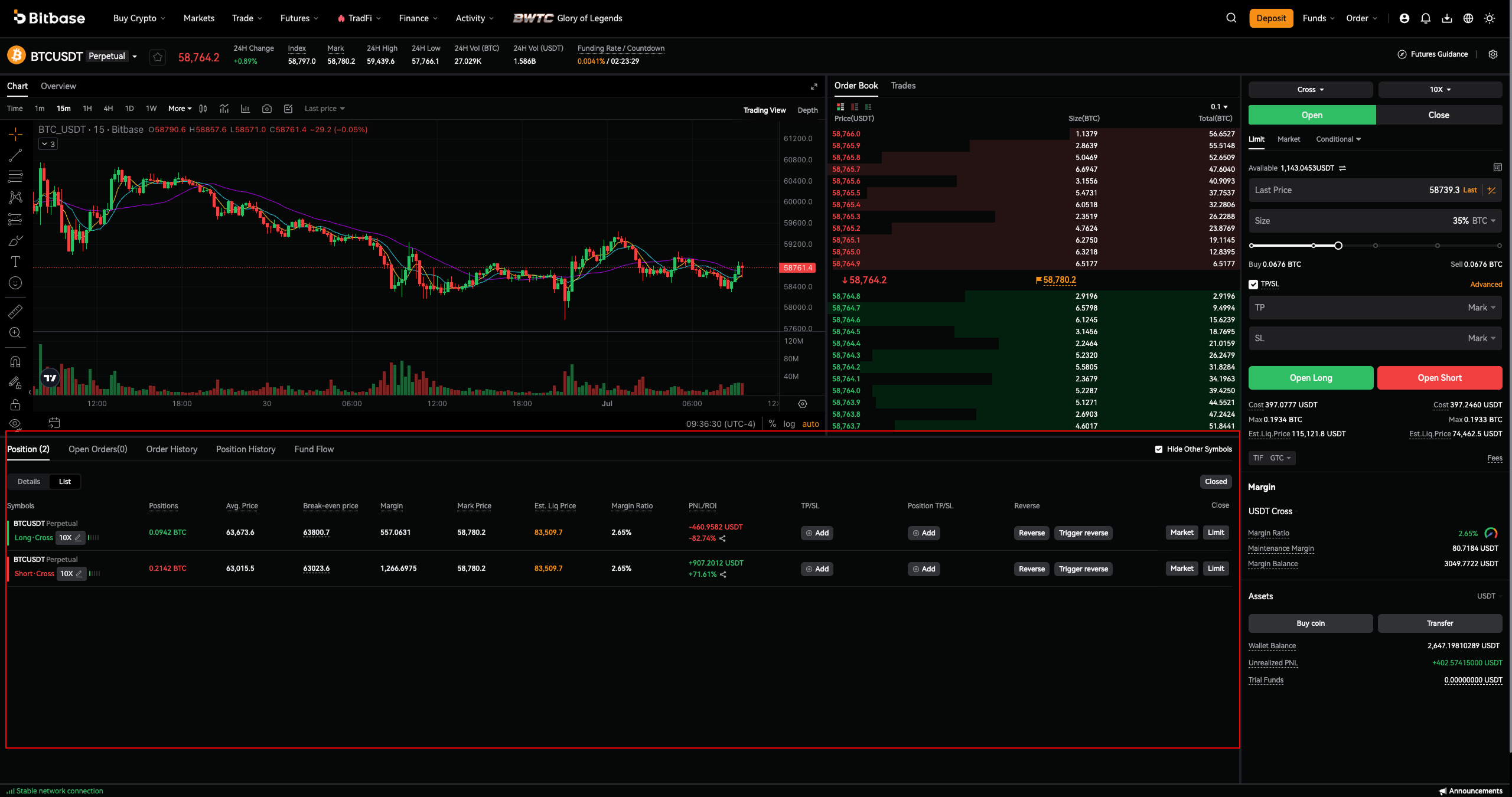
Safety and risk reminders
Never risk more than you can afford to lose, and be especially careful with leverage — a small adverse move can liquidate a futures position. Use TP/SL to manage risk, and keep enough margin to stay above your Maintenance Margin. Double-check the pair, direction and amount before you confirm any order. Bitbase will never ask for your password or verification codes.
This is an official Bitbase product guide for educational and informational purposes only, and is not financial advice. Interface details, fees, leverage and limits can change; always rely on the live Bitbase platform. Written June 2026.